
🏆 iF Design & Computex award-winning engineering•Retail & OEM partners in 30+ markets
0%

Choosing a Kids GPS smartwatch phone is not simply a matter of selecting the brightest screen or the lowest price. It is a decision about safety, communication, comfort, and family trust. A useful starting point is understanding how your child actually moves through the day. Do they walk to school, attend sports practice, or spend time with grandparents? Each routine creates different needs.

Child-safety researcher Dr. Elizabeth Englander offers a helpful reminder: “Technology should support parenting, not replace it.” That principle should guide every purchase. A reliable Kids GPS smartwatch phone can show a child’s location, provide approved calling, and offer an emergency contact option. Yet it cannot guarantee perfect accuracy indoors, during weak signal conditions, or when the battery is nearly empty.

Look closely at the details. Check location-update speed, GPS performance near tall buildings, battery duration, waterproof protection, and the clarity of the companion app. Test the watch on a short family walk. Notice whether your child can press the call button easily. Small problems matter.

Privacy deserves equal attention. Review data settings, contact controls, account protection, and the company’s support practices. Avoid choosing features you will never use. More functions can create more confusion.

There is no flawless device. That is worth admitting. Parents may expect instant tracking, while real-world networks sometimes delay updates. Children may also remove the watch, forget to charge it, or dislike its weight. The right choice balances practical safety with everyday willingness to wear it. A careful comparison helps families choose a device that works beyond the product page.
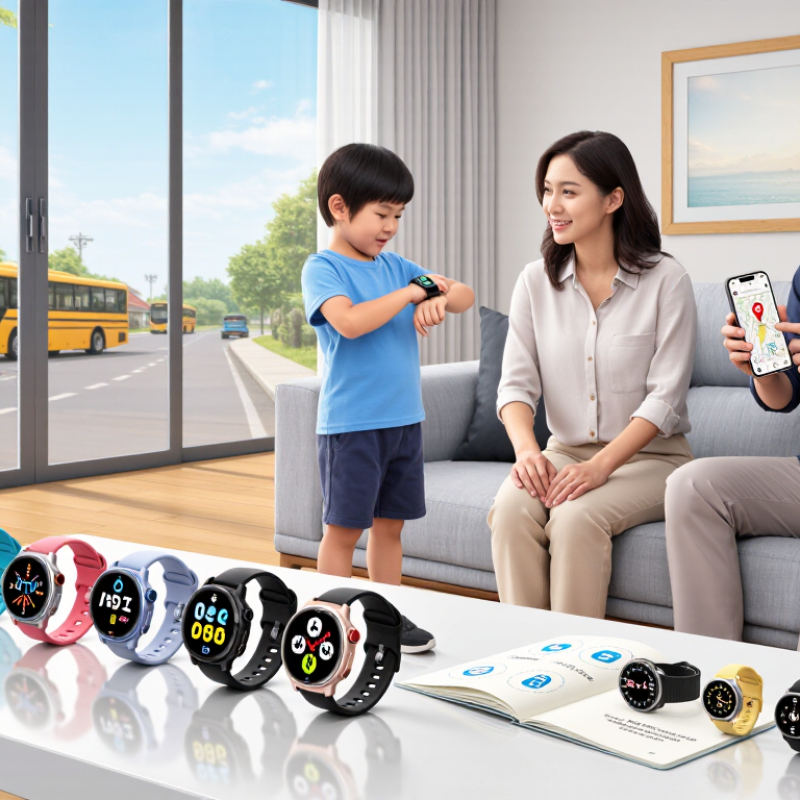
How to Choose a Kids GPS Smartwatch Phone?

Define the Main Purpose of a Kids GPS Smartwatch Phone

How to Choose a Kids GPS Smartwatch Phone?

Define the Main Purpose of a Kids GPS Smartwatch Phone

The main purpose should guide every feature you consider. Is the watch for location updates, simple calls, or both? A child walking home may need a reliable check-in tool. A younger child may need limited calling with approved contacts. Clear communication matters more than a long feature list.

Think about your child’s daily routine. For school travel, location sharing and safe-zone alerts may be useful. For outdoor activities, water resistance and battery life deserve closer attention. If the watch is mainly for emergencies, large buttons and quick access to trusted contacts are important. Test these functions before relying on them.

I once assumed more features meant better protection. That assumption was wrong. Games, cameras, and social tools can distract from the real purpose. GPS can also become less accurate near tall buildings or indoors. Parents should explain when tracking is used and respect the child’s growing privacy. Choose settings that collect only necessary information, and review contact permissions regularly. A simple device may serve your family better than an impressive one.

Check Location Tracking Accuracy and Safety Features

How to Choose a Kids GPS Smartwatch Phone?

Location accuracy should be tested, not assumed. Walk with the watch through open streets, a school entrance, and a crowded shopping center. Compare its reported position with your actual location. GPS usually performs best outdoors. Indoors, the watch may depend on Wi-Fi or mobile signals, which can create delays or misplaced points. Check how often the location refreshes. A five-minute update may be unsuitable during urgent situations.

I once tested a children’s watch near tall buildings, and the map placed it across the street. That result was uncomfortable, but useful. It showed why parents should review real performance before trusting the device. Battery life also affects tracking. A dead watch cannot send a location. Set low-battery alerts and test the device after a full school day.

Safety features need practical checks. An SOS button should contact approved guardians quickly, while two-way calling should use a limited contact list. Geofencing can alert parents when a child leaves a defined area, but boundary alerts may arrive late. Check whether the watch supports location history, secure account access, and strong privacy controls. Avoid unnecessary permissions, and review stored data regularly. Some children may press buttons accidentally. Explain the process calmly and practice it together. A GPS watch is helpful, but it should not replace supervision, clear routines, or honest conversations about safety.

How to Choose a Kids GPS Smartwatch Phone?

Compare the typical location accuracy of different positioning methods and verify that the watch includes essential safety controls.

Typical location-error ranges are shown in meters; lower values indicate better accuracy. Actual results depend on buildings, weather, satellite visibility, network coverage, and device settings.

SOS Calling
One-press emergency calling with configurable contacts.
Geofencing
Alerts when the child enters or leaves a defined area.
Low-Battery Alerts
Notifications that help prevent unexpected loss of contact.
Privacy Controls
Parent authentication, limited data sharing, and secure account access.

Compare Calling, Messaging, and Emergency Functions

How to Choose a Kids GPS Smartwatch Phone?

Calling should be the first comparison point. A child may need one-touch voice calling after school, not a complicated contact list. Pew Research Center’s 2024 report found that 95% of U.S. teens have access to a smartphone, but younger children need simpler controls. A smartwatch phone can reduce screen exposure while keeping trusted contacts nearby. Check call quality, speaker volume, contact limits, and whether unknown numbers are blocked. Small details matter.

Messaging needs equal attention. Voice messages help children who struggle with tiny keyboards. Text messages create a useful record for parents, but constant alerts may distract during class or bedtime. Ofcom’s Children and Parents: Media Use and Attitudes Report 2024 shows that connected-device use is deeply embedded in children’s daily routines. That does not mean every message deserves an instant reply. I would choose clear parental controls, message filtering, and adjustable quiet hours. The compromise is real.

Emergency functions must be tested, not merely advertised. A dedicated SOS button should contact selected guardians, share location, and show confirmation after activation. GPS location can weaken indoors, underground, or among tall buildings. Cellular coverage also varies by area. The U.S. National Emergency Number Association stresses that emergency communications depend on accurate location and reliable network access. Therefore, test the watch near home, school, and travel routes. No checklist is perfect. Parents should also teach children when to call, what to say, and how to wait safely.

Evaluate Battery Life, Durability, and Wearability

A kids GPS smartwatch phone should survive real routines, not just a product demonstration. Battery life deserves careful testing. GPS tracking, voice calls, and bright screens can drain power quickly. Look for a model that lasts through a full school day with location services active. A low-battery warning is useful. So is a secure charging connection.

I once underestimated charging habits. The watch needed power before bedtime, but its small battery was nearly empty after outdoor use. That changed my evaluation. Ask whether the battery can support a child’s daily schedule, including travel and unexpected delays. Battery claims may come from controlled tests, so treat them as estimates.

Durability matters just as much. Check for water resistance, a reinforced screen, and buttons that feel firm. Children may drop the watch on pavement. They may also wear it during sweaty play. Read the water-resistance limits carefully. Splash protection is not the same as swimming protection.

Wearability affects whether the device is actually used. The case should feel light, and the strap should stay secure without pinching. Examine the edges for rough plastic. A breathable strap can reduce irritation during warm afternoons. The display must be readable outdoors, but excessive brightness can waste battery. Let the child try it for ten minutes. Small discomforts become obvious then. My judgment can still be wrong. Children differ in wrist size, sensitivity, and patience.

Review Privacy Controls, App Support, and Total Cost

How to Choose a Kids GPS Smartwatch Phone?

Privacy controls deserve more attention than colorful cases. Cisco’s 2024 Consumer Privacy Survey found that 75% of respondents would not buy from organizations they distrust with data. Check whether location history can be deleted permanently. Review guardian permissions, contact approval, geofence alerts, and microphone settings. Location sharing should be off by default. That matters.

App support affects daily reliability. GSMA Intelligence reported 4.7 billion mobile internet users in 2024, but access does not guarantee a good companion app. Confirm compatibility with your phone’s operating system. Test alerts, map loading, battery warnings, and account recovery before purchase. Also inspect update policies. A useful watch can become frustrating when its app stops receiving security updates. I would test it indoors and outdoors, because GPS accuracy often changes near tall buildings.

Calculate the total cost, not only the checkout price. IDC’s Worldwide Quarterly Wearable Device Tracker recorded 537.5 million wearable-device shipments in 2024, showing a large and competitive market. Yet subscriptions vary widely. A $99 device, $9 monthly service, and $24 annual cloud fee cost $231 in the first year. Add a replacement strap, roaming fees, or cancellation charges. My first price comparison ignored these small costs. That was a mistake. Look past the box price.

How to Choose a Kids GPS Smartwatch Phone? - Review Privacy Controls, App Support, and Total Cost
Product Profile Typical Upfront Price Typical Monthly Service Estimated 24-Month Cost Privacy Controls to Check App Support Best For
Entry-Level Cellular Watch $50–$100 $8–$15 per month $242–$460 Parent-approved contacts, location sharing controls, remote microphone disable option, account password protection, and the ability to delete location history. Usually supports a companion app for iOS and Android. Verify the minimum operating-system versions and whether multiple caregivers can share access. Families needing calling, basic GPS location, and simple emergency functions at the lowest total cost.
Mid-Range Family Safety Watch $100–$180 $15–$25 per month $460–$780 Contact whitelisting, school-mode scheduling, adjustable location-update frequency, two-factor authentication, caregiver permission levels, and downloadable account data. Typically offers iOS and Android apps, geofencing, several caregiver accounts, message history, and firmware updates delivered through the app. Families wanting a balance of GPS accuracy, communication tools, parental controls, and manageable recurring costs.
Advanced GPS and Activity Watch $180–$300 $20–$35 per month $660–$1,140 Granular consent settings, separate parent and child permissions, encrypted account transmission, configurable data-retention periods, audit or login alerts, and an option to close the account and erase associated data. Commonly includes iOS and Android support, live location, location history, geofencing, SOS alerts, health or activity features, and support for several authorized guardians. Families that value richer safety features and more detailed privacy management over the lowest purchase price.
Wi-Fi-Only Companion Watch $30–$90 $0–$8 per month $30–$282 Review whether location services work without Wi-Fi, whether the device uploads data to a cloud account, how long activity records are retained, and whether a parent can remove the child profile. Usually depends on a companion app and a nearby phone or saved Wi-Fi networks. Cellular calling and outdoor GPS tracking may be unavailable or limited. Children who mainly use the watch at home or near trusted Wi-Fi networks and do not need independent outdoor communication.
Prepaid No-Contract Watch $70–$160 $10–$25 per month $310–$760 Check whether the service continues after cancellation, whether unused data expires, whether location history is stored by default, and whether parental accounts can be removed without contacting support. Often supports iOS and Android applications. App features may stop when the prepaid plan expires, so confirm access to settings and stored data after cancellation. Families that want predictable billing, no long-term contract, and the ability to stop service when the watch is not needed.
Cost method: Estimated 24-month cost equals the upfront device price plus 24 months of service. Taxes, activation fees, replacement bands, international roaming, insurance, and optional accessories are excluded. Prices and features vary by country, cellular network, software version, and service plan. Before buying, confirm the privacy policy, data-retention terms, supported cellular bands, return period, and current iOS and Android compatibility.

FAQS

How long should a children’s GPS smartwatch battery last?

It should cover a full school day with GPS, calls, and location services active. Test it during outdoor activities, not only indoors. Battery claims are estimates.

What battery details deserve close attention?

Look for low-battery warnings and a secure charging connection. Unexpected travel can extend the day. I once underestimated this need.

How can I judge the watch’s durability?

Check water-resistance limits, screen strength, and button firmness. Children may drop it on pavement or wear it during sweaty play. Splash protection does not guarantee swimming protection.

What makes a smartwatch comfortable for daily wear?

The case should feel light, with smooth edges and a secure strap. A breathable strap can reduce irritation on warm afternoons. Let the child wear it for ten minutes.

How should privacy settings be reviewed?

Check location-history deletion, guardian permissions, approved contacts, and microphone controls. Location sharing should be disabled by default. That matters.

What should I test in the companion app?

Confirm phone compatibility and test alerts, maps, battery warnings, and account recovery. Review security-update policies before buying. Tall buildings may reduce GPS accuracy.

How can I calculate the real first-year cost?

Add the device price, monthly service, annual cloud fees, replacement straps, roaming, and cancellation charges. A $99 device, $9 monthly service, and $24 annual fee total $231 initially. Small costs matter.

Should a child help evaluate the device?

Yes. Ask about weight, strap pressure, screen readability, and button comfort. Children differ in wrist size and patience. My judgment can still be wrong.

Conclusion

Choosing a Kids GPS smartwatch phone begins with identifying the child’s and family’s main needs. Consider whether the device is primarily for location awareness, simple communication, school-day convenience, or added safety. Check how accurately it tracks location in different environments and whether it includes useful safety tools such as approved-contact controls, geofencing alerts, SOS support, and location-sharing permissions. Calling and messaging features should be easy for children to use while allowing parents to manage who can contact them.

A practical Kids GPS smartwatch phone should also offer dependable battery life, a durable design, and a comfortable fit for everyday wear. Review the companion app for ease of use, privacy settings, data controls, and compatibility with your devices. Finally, compare the complete cost, including the watch, service plan, accessories, and any ongoing fees. The best choice balances safety, communication, comfort, privacy, and value without adding unnecessary features.

Amelia

Amelia

Amelia is a highly experienced marketing professional dedicated to helping customers better understand innovative products, practical solutions, and emerging industry trends. With a strong understanding of the company’s product portfolio, she combines market insight, clear communication, and......